


Your new doorway to the online world
Complete IT services for companies in Lublin and across Poland. We build websites, online shops and marketing campaigns. We specialise in SEO, 3D virtual tours, drone filming and support for ERP systems and MS SQL databases.
- Individual approach
- Deadlines we keep
- 5+ years of experience
- 24/7 support
We are already trusted by over
70 companies across Poland
What we do
See what we can do for you
In Lublin and across Poland we work the same way: first we find out where you are actually losing customers, then we pick the service. Website, shop, visibility in Google, advertising and the systems your company runs on — from a single partner.
- Websites and shops We design and code from scratch — no templates that look like a hundred others. A website should sell, not just exist.
- SEO Audit, content built around what customers actually search for, technical work and links. We report rankings, traffic and enquiries — not just charts.
- Advertising Google Ads, Facebook and Instagram run against cost per acquisition. The budget has to come back — otherwise we change the campaign, not the excuses.
- Audits We find where your traffic and money disappear. You get a prioritised list of specifics, not a hundred-page report for the drawer.
- ERP and databases InsERT, Insoft, WAPRO and MS SQL. We fix slow databases, build warehouse and shop integrations, and keep an eye on backups and performance.
- IT support Ongoing care for hardware and systems, same-day remote support, plus 3D tours and drone footage.
Portfolio
Our work
See all 


Reviews from our clients
Highly recommended! The shop was built very professionally, exactly the way I wanted. They also sorted out the hosting and the domain, so I did not have to worry about anything. Everything works as it should. Great communication and a professional approach.
Great cooperation! Everything went smoothly in a pleasant, comfortable atmosphere and communication was efficient. I warmly recommend them.
The computer was built perfectly to my budget. When I picked it up the PC was ready to use straight away — all updates done, Windows installed along with useful applications.
This is the only place I take my computers. Choosing the parts, adding an SSD and RAM to a laptop. Everything works as it should, I honestly recommend them.
They always find a solution. Professional approach and fast help, I highly recommend them!
A professional approach to the customer and efficient delivery. Everything at the highest level. Thank you.
I recommend working with them — the shop's SEO really does bring results.
Fast and efficient delivery, I can give five stars and recommend them with full confidence.
Jakub is very professional and has made running my company much easier.
A great price for a professionally made logo, recommended!
A beautifully designed menu for the restaurant.
Facebook campaigns of a high standard.
Recommended — a professional approach and high quality of service.
Fast, no-nonsense work. These guys know what they are doing.
I am happy with the company's services. Recommended!
Who we work for
Complete IT services for every industry
Pick an industry and see what we usually do for companies like yours — and where the money that can be recovered most often sits.

Websites and shops for the automotive sector
Garages, body shops and parts retailers all have one thing in common: the customer is looking for something specific. A part number, a replacement for a particular model year, or a service in their own town. If the shop's search does not understand part numbers, and the category structure does not match the way people ask Google, the traffic simply goes to the competition.
The automotive sector is one of the most competitive in Polish e-commerce. A dozen or so large shops fight over the same generic keywords, with advertising budgets running into tens of thousands of złoty a month. A smaller company will not beat them on the phrase "car parts". It will beat them on precision: on the part number, on a specific engine, on a service carried out within a thirty-kilometre radius.
A shop that understands part numbers
We build automotive shops with search by manufacturer part number, OE number and cross-references. The search tolerates spaces, hyphens and typos, because customers type the number from an invoice or from a photo of the old part, not from a catalogue. On top of that come filters by make, model, year, body type and engine size — the way people actually narrow down a choice.
We prepare product pages with two audiences in mind at once. The customer gets technical data, photographs and clear availability information. Google's crawler gets an ordered structure, product structured data and unique copy — not a wholesaler's text that three hundred other shops also carry.
We wire the catalogue into wholesalers and your warehouse. Stock, prices and availability update automatically, so nobody re-types them by hand and nobody sells goods that are not there. On larger catalogues we add margin rules and exclusions, so the integration does not flood the shop with items you do not want to sell.
The garage: a phone call instead of a basket
In garage services the path is different. The customer does not buy online — they call or book a slot. So a garage website has to lead to one of those two actions in as few clicks as possible. A phone number visible without scrolling, a price list of basic services, opening hours and a map.
For garages that work by appointment we add a simple booking system with SMS confirmation. The effect is measurable: fewer calls during working hours, fewer missed calls in the middle of a repair, and fewer empty bays, because the customer gets a reminder the day before.
Local visibility that actually rings the phone
On the services side we work with local keywords: "timing belt replacement Lublin", "wheel alignment" with a district name, "car air conditioning service" plus a city. These searches are rarer than a generic "car service", but they turn into a phone call many times more often, because they come from someone with a problem here and now.
In parallel we run the Google Business Profile: photos of the garage, current opening hours, a description of services and a steady flow of reviews. In the motor trade, ratings work like a recommendation from a friend — when choosing between two garages at a similar price, the number and content of the reviews decides.
We set Google Ads campaigns against cost per enquiry, not click volume. We exclude keywords that bring worthless traffic (homework, how-to guides, "do it yourself"), and we watch the ad schedule so the budget is not burned overnight when nobody will answer the phone.
What we usually fix first
In automotive shops we usually see the biggest losses in three places: the search cannot find a part by its number, checkout requires creating an account, and delivery costs only appear at the last step. Fixing those three things can raise conversion more than a quarter's worth of advertising.
In service businesses the price list is what is most often missing. Companies are afraid to publish one in case the price scares people off — in practice it is the absence of information that scares them off, because the customer rings three garages and picks the one that gave a straight answer first.
The most common mistakes in automotive shops
The first is descriptions copied from the wholesaler. Three hundred shops carry the same text, so Google has no reason to single yours out. Rewriting the descriptions for a few dozen best-selling items is enough to see a difference in the results.
The second is the lack of photographs of the actual product. With parts the customer wants to see the connector, the number of pins and the mounting, because that decides whether the part fits. A single catalogue photo from one angle is not enough and generates returns.
The third is a basket with no delivery time. When a car is being repaired the date matters more than the price — the customer will pay more for delivery tomorrow. If that information is missing, they choose the shop that provides it.
How we work together
We start by reviewing the catalogue and the data you have: wholesaler files, your own photographs, fitment spreadsheets. On that basis we work out what can be imported automatically and what has to be filled in by hand.
Next we build the category structure and the search, because in this sector those are what decide sales. Only then do we deal with the visual layer — the other order ends in a pretty shop where nothing can be found.
After launch we stay on support: we monitor import errors, uptime and speed at peak hours. In the motor trade the peak falls at weekends, when people are fixing their cars.
How we measure the result
We look at three numbers: orders that came through the on-site search, the share of visits from searches containing a part number, and the cost of acquiring an order from campaigns. Those show whether the shop works — not the visit count on its own.
For garage services we measure calls and online bookings. We wire the phone number on the site into the measurement, so we know how many calls come from Google and how many from paid campaigns.
- Search by part number, OE number and cross-references
- Filters by make, model, year and engine type
- Integration with wholesalers and your warehouse — stock and prices automatically
- A service price list, appointment booking and SMS confirmations
- Google Business Profile, reviews and local SEO
- Campaigns measured by cost per enquiry
IT for manufacturing and industry
In a manufacturing company the website is the tip of the iceberg. Underneath it sits the ERP system, the warehouse, an MS SQL database and a dozen or so reports somebody once built in a spreadsheet that everyone is now afraid to touch. The most expensive problems are not visible on the website: a month-end close that takes three days, and a database that gives up during stocktaking.
That is why in manufacturing we usually start not with design but with an audit of what the company actually works on every day. We check how long critical operations take, where the system is waiting on the disk and where on a badly written query, and what happens if the server dies at two o'clock on a Wednesday afternoon.
A database that keeps up at peak
MS SQL administration is in practice four things: indexes, statistics, a maintenance plan and backups. In most companies we walk into, at least two of them have not been touched since the system went in. Indexes are fragmented, statistics are stale, and backups are written to the same disk the database sits on.
Rebuilding indexes and sorting out the maintenance plan can halve the time of critical operations without replacing any hardware. It is the cheapest optimisation there is — it needs no investment, only knowing what to do and in what order.
Database size is a subject of its own. Warehouse systems will happily keep ten years of documents in operational tables. We archive the old data into a separate database, leaving in production only what the company actually works with. The database slims down, the backup drops from hours to minutes, and reports speed up.
ERP support: InsERT, Insoft, WAPRO
We support InsERT systems (Subiekt, Rewizor, Gratyfikant), Insoft and WAPRO. We handle deployments, migrations between versions, configuration of documents and permissions, and fixing the situations where something stopped working at the worst possible moment.
We also provide support outside standard hours. In manufacturing the night shift cannot wait until morning, and a stocktake done on Saturday will not wait until Monday. We agree up front what counts as a critical failure and how fast we respond.
We also do the things nobody asks for directly: reports the system does not ship with, exports in the format a business partner demands, and automation of the repetitive tasks somebody in the company has been doing by hand for years.
Website and product catalogue
A manufacturer sells capability and machinery, not pretty photographs. The buyer on the other side is looking for specific parameters: processes, tolerances, maximum part dimensions, available materials and certificates. If that information is not on the website, they send their enquiry to somebody else.
So we write content for the searches the trade actually makes, instead of platitudes about the highest quality and many years of experience. A description of a process with its parameters attracts traffic the competition never collects, because almost nobody publishes that kind of content.
We wire the quotation form into the system so the enquiry lands straight where it is handled, not in an inbox somebody has to copy it out of. At the same time we collect the full set of data needed for a quote, so the salesperson does not lose a day asking follow-up questions.
Business continuity
We test backups, not just take them. A backup nobody has ever restored is an assumption, not a safeguard. From time to time we run a trial restore on a separate environment and measure how long getting back to work really takes.
On top of that, monitoring: free disk space, the run time of critical queries, queues and errors in the logs. Most failures in manufacturing announce themselves in advance — provided somebody is watching.
The most common mistakes
The most expensive mistake is treating the database like a kitchen appliance — it works, so leave it alone. A database needs maintenance: index rebuilds, statistics updates and log clearing. Without it, it slows down year on year until one day it stops production.
The second is backups written to the same server. A disk failure or ransomware encryption then takes the data and the backup at once. A copy has to live somewhere else and has to be tested regularly.
The third is a company website with no specifics. A brochure with ten photos of the shop floor and a sentence about many years of experience does not sell. The buyer is looking for parameters, not declarations.
How we work together
We start with an inventory: which systems are running, on what hardware, who is responsible for what and where the data lives. In many companies this document is written for the first time when we arrive.
Then we set priorities by risk and the cost of downtime. First we protect whatever would stop production if it were lost, and only then do we optimise for convenience.
We provide support on a subscription with a defined response time. You know up front how many hours a month your package includes and what happens once they are used.
How we measure the result
We measure the time of critical operations before and after the changes: month-end close, report generation, stocktaking, running a backup. These are numbers you can see in the calendar, not abstract indicators.
On the website and catalogue side we look at the number of quotation requests and their quality — whether the companies reaching you are from the sectors you actually serve.
- ERP support: InsERT, Insoft, WAPRO — including outside working hours
- MS SQL administration: indexes, backups, maintenance plan, data recovery
- Slimming and archiving databases that can no longer keep up at peak
- Reports and exports beyond what the system ships with
- A product catalogue and process descriptions written for B2B searches
- Monitoring and tested backups
Selling agricultural machinery and parts
Agriculture runs on its own calendar. The season lasts a few weeks, prices are often individual to each customer, and the buyer calls about a specific part number because the machine is standing in a field and every hour costs money. A shop that cannot handle this loses not on design but on response time.
It is also a sector where the trading relationship is older than the internet. Many customers have bought by phone from the same salesperson for years. The platform's job is not to replace that relationship but to take the repetitive work off the salesperson: looking up numbers, re-typing lists and sending the same quotes.
A B2B platform with prices for logged-in customers
We build platforms where prices are visible only to a logged-in customer, each with their own price list and discounts. Price levels can be assigned by group or individually, and changing terms for one customer does not mean touching the whole catalogue.
Instead of a classic basket we provide a quotation basket. The customer assembles a list of items with numbers and quantities, adds notes and sends the whole thing with one click. The salesperson receives a ready-made list and returns a quote from the panel — without copying anything into a spreadsheet.
For regular customers we add order history and the option to repeat a previous request. In season, when the same consumables are bought over and over, that saves both sides a good fifteen minutes on every order.
A parts catalogue you can actually search
We build the catalogue so a part can be found by machine make, model and manufacturer number. For replacement parts we show relationships and equivalents, because the customer often has the original number but is looking for a cheaper alternative.
We add application notes on top: which machines a part fits, which jobs wear it out, what is worth replacing at the same time. Searches in this sector are very specific and almost nobody writes content for them — which makes entry cheap and effective.
The season: when to switch the budget on
We set campaigns seasonally. We concentrate the budget in the weeks when that type of machine or part is actually bought, instead of spreading it evenly across twelve months. The difference in cost per customer can be twofold.
We plan the seasonality from data, not a hunch. Search history and your own sales figures show when interest in a particular product group starts. We usually launch the campaign two or three weeks earlier, to collect enquiries before the peak.
Servicing and consumables
Companies servicing farm machinery earn not only on repairs but on inspections and consumables. The website should show that: service packages, the list of makes covered and the range of the mobile service.
With a mobile service, coverage matters most. The customer wants to know whether you will come out to them before they call. A map of the service area answers that at a glance and saves calls that lead nowhere.
The most common mistakes
Showing prices to everyone. In agricultural B2B, price is part of the negotiation, and a public price list damages relationships with customers and hands the competition an advantage. The answer is not to hide the whole shop but to separate the catalogue from the prices.
The second mistake is a catalogue without manufacturer numbers. The customer searches by the number on the part in their hand. If that number is not in the shop, they will not find the product, even if it is sitting in your warehouse.
The third is no availability information. In season what counts is whether the part is in stock or whether it means waiting a week. That one piece of information decides the order.
How we work together
We start with the catalogue structure and the pricing model: who sees which prices, how discounts are assigned and where availability data comes from. That is the foundation the whole platform stands on.
In parallel we design the sales panel, because that is what will be used every day. If handling an enquiry is slower than a phone call, nobody will use it and the investment will not pay back.
Before the season we run a review: performance, whether price lists are current and whether campaigns are ready. Going into the peak with a broken price import costs more than the whole project.
How we measure the result
We count the quotation requests sent from the platform and the time from request to quote. Cutting that from a day to two hours usually lifts results more than any change to the design.
We also check how many customers use the panel instead of calling. That is the best measure of whether the tool really takes work off the sales team.
- Individual price lists per customer, with prices hidden from visitors who are not logged in
- A quotation basket instead of a classic order
- A parts catalogue filtered by make, model and manufacturer number
- A sales panel for sending quotes and tracking enquiries
- Order history and one-click repeat of a previous request
- Seasonal campaigns with the budget concentrated into a few weeks
Online shops that actually sell
A shop that does not sell almost never has one problem — it has five small ones. A slow checkout, no copy written for purchase keywords, filters nobody uses, poor handling on mobile and campaigns set for traffic instead of sales. Each of those looks harmless on its own; together they can cost half the turnover.
So we start with an audit that is not a list of accusations but an order of repairs. Every item has an estimated impact on sales and an implementation time, so it is immediately clear what to do in the first week and what can wait until next quarter.
A purchase path with no surprises
The biggest drop-off is usually in the basket and at checkout. Forced registration, delivery costs revealed at the last step, a form with fifteen fields and a missing popular payment method — each of those on its own cuts a few percent of orders.
We fix them one by one: guest checkout, delivery cost shown on the product page, a shorter form, instant transfer and BLIK payments. These are changes that do not need the shop rebuilding, and they show in the statistics within two weeks.
Speed we watch separately. A shop that takes four seconds to load on a phone loses customers before they even see a product. We optimise images, cut back third-party scripts and tidy up the dozens of plugins that have accumulated over the years.
Integrations, or the end of re-typing
Stock, prices, orders, invoices and shipments should move between the shop and your system automatically. Re-typing by hand is not only a cost in time but a source of errors that end in complaints and returns.
We connect WooCommerce, Shoper and PrestaShop shops with warehouse systems, invoicing software and couriers. Plus integrations with Allegro and other marketplaces, so a single stock pool serves every channel without selling the same item twice.
Content that keeps working after the ads stop
We write category and product copy for real purchase searches. Not for keywords from a generator, but for what people actually type when they are ready to buy. That is what builds the traffic that stays when the advertising budget runs out.
In shops with a large catalogue, category and subcategory copy pays off most. One well-written category can generate more visits than a hundred product pages, because it answers a broader search and collects traffic from the whole group.
Then guides and comparisons. In many sectors the customer first looks for an answer to a question and only then for a product. Content that answers that question brings them into your shop before the competition does.
Advertising measured by order value
We run Google Shopping, remarketing and Meta campaigns against basket value, not clicks. We set up correct conversion tracking that carries the order value, because without it optimising a campaign is guesswork.
Along the way we usually find money to recover: campaigns showing on non-commercial keywords, zero-margin products promoted hardest, and remarketing chasing people who have already bought.
The most common mistakes
Rebuilding the shop without an audit. The company spends the budget on a new look when the problem was delivery costs and no BLIK. After launch, sales stand still — only the template is prettier.
The second mistake is campaigns without correct measurement. If conversions are counted without order value, the algorithm optimises for transaction count and promotes the cheapest, zero-margin products.
The third is neglecting content. A shop living purely on advertising has zero traffic on the day the budget stops. Category copy and guides build a cushion that works all the time.
How we work together
The first stage is an audit and a list of fixes ranked by impact on sales. You get it even if you decide to implement the changes yourselves or with another company.
The second stage is the quick fixes: checkout, payments, speed, the most important product pages. Results usually show within two to three weeks.
The third is the long game: content, integrations and campaigns. This is the stage where the shop stops depending purely on the advertising budget.
How we measure the result
The basis is conversion rate and average order value, measured separately for search traffic and paid traffic. Traffic growth without order growth means we are working on the wrong keywords.
Then the share of revenue from organic traffic. The higher it is, the safer the business — because it does not end the day a campaign is paused.
- A shop audit with fixes ranked by impact on sales
- A shorter checkout, BLIK and instant transfer payments
- Integrations with your warehouse, invoicing, couriers and Allegro
- Category and product copy for real purchase searches
- Google Shopping and remarketing measured by order value
- Speed optimisation on mobile devices
Hotels, guesthouses and apartments
A place to stay sells an impression that words alone cannot describe. The guest wants to see the room, the dining room and the view from the window before booking. Photographs help, but they do not convey the layout or the real size of a room.
The second problem is commission. Every booking through an intermediary portal costs well over ten percent. Your own website has one job: to take back some of those bookings, because every one you take back is pure profit with no margin handed away.
Booking without the middleman
We connect a booking engine directly on the website, with an availability calendar and seasonal pricing. The guest sees free dates and books in a few steps, without being sent to an external portal.
Along with a best-price message on your own site. It is standard in hospitality and it works: some guests check the portal but book direct if they can see a real benefit.
We link the calendar to a channel manager, so availability is shared across every channel and the same room is never booked twice.
Rooms shown honestly
Every room type gets its own page with the floor area, facilities, occupancy and photographs from several angles. A 360° virtual tour shows the layout better than ten photographs.
We publish the tour on your Google Business Profile as well. A property with an active tour appears in maps more often and holds attention longer — and that is the cheapest traffic a hotel can get.
Season and occupancy
We plan campaigns around the booking calendar, not an even monthly budget. A bank holiday weekend is promoted one way, school holidays another, and midweek gaps another again.
For properties with low off-season occupancy we build separate offer pages: stay packages, corporate offers, long-term stays. That is usually the fastest way to fill dead dates.
The most common mistakes
No prices on your own site. The guest compares with the portal, finds no figure and books where they can see one — with the intermediary who takes the commission.
The second mistake is photographs from before the refurbishment. Once the rooms are done, a new shoot is worth it, because photographs are exactly what guests compare.
The third is not saying what is included. Breakfast, parking, the pool, a pet surcharge — every unanswered question is one more phone call.
How we work together
We start with the material: the tour, room photographs and drone footage. Without it even the best website will not work, because in this sector it is the image that sells.
Then we connect the booking engine and sort out room types and seasonal pricing. Finally the Google Business Profile and campaigns aimed at the gaps in the calendar.
How we measure the result
We count direct bookings and their share of the total. Every percentage point taken back from the portals is a concrete sum that stays with the property.
We also watch profile impressions and clicks for directions — those are the numbers that react fastest once the tour is published.
- A booking engine on your own site and less commission
- A 360° virtual tour on the site and on your Google profile
- Separate pages per room type with floor area and facilities
- Calendar integration with a channel manager
- Offer pages for packages and off-season stays
- Local SEO and managing guest reviews
Restaurants, cafés and bars
In hospitality most decisions are made on a phone, a quarter of an hour before leaving the house. The guest checks three things: whether you are open, what is on the menu and what the reviews say. If any of those takes more than a few seconds to find, they pick the place next door.
So a restaurant website does not have to be elaborate. It has to be fast, up to date and answer those three questions without scrolling.
A menu you can actually update
A menu in a PDF is the most common mistake in this sector. On a phone the guest has to download it, zoom in and scroll, and Google does not read it at all. A menu built as a web page solves both problems and appears in search results.
We build it so that changing a price or a dish takes five minutes and does not require contacting us. With a seasonal menu that is the difference between a current card and one from six months ago.
We add allergen labelling and vegetarian options. Some guests look for that information first, and very few venues have it online.
The profile matters more than the website
In hospitality most traffic comes from maps, not from search. We run the Google Business Profile end to end: current opening hours, photographs of the interior and the food, the menu, event posts and replies to reviews.
Out-of-date opening hours are the costliest small detail. A guest who arrives at a locked door leaves a review that several hundred people will read.
The reply to a critical review matters more than the review itself — far more people read it than read the original, and a measured response builds trust more effectively than a wall of five-star ratings with no comments.
Orders and delivery
For venues that deliver we add online ordering on your own site. Every order taken directly instead of through an intermediary platform is well over ten percent of margin that stays with you.
Plus online table booking. It will not replace the phone, but it takes some of the calls away during the hours when staff are busiest.
The most common mistakes
A menu in a PDF and out-of-date opening hours. These are the two most common and cheapest mistakes to fix in the whole sector.
The second is no photographs of the food. Guests choose with their eyes; a menu without pictures loses to a venue that has them, even if the cooking is worse.
The third is ignoring reviews. A profile with no replies looks abandoned — and that is exactly where the decision about dinner is made.
How we work together
We start with the Google Business Profile, because that is what brings most of the traffic. Then the website, with a menu you can update yourselves.
Then photographs of the interior and the food, and a process for collecting reviews. Campaigns come last, usually targeted at events and weekends.
How we measure the result
We count calls and direction clicks from the profile, and orders placed directly. Those are the three numbers that genuinely translate into turnover.
We also watch how fast reviews accumulate — in hospitality that is the best leading indicator there is.
- A menu as a web page, not a PDF — with allergens and vegetarian options
- Update the menu yourself in a few minutes
- Running your Google Business Profile and replying to reviews
- Online ordering without intermediary platform commission
- Online table booking
- Photographs of the interior and the food, plus event posts
Wedding venues, events and conferences
A wedding venue sells an image in the mind. The couple wants to see the room, judge how many people will fit and picture their own wedding in it. Photographs from a single angle do not do that, because they do not convey scale.
It is also the sector with the longest decision cycle in the whole hospitality trade. Dates are booked a year ahead and the decision comes after visiting several venues. The winner is whoever gives the most concrete information earliest.
3D tours and drone footage
A virtual tour lets people see the hall, the foyer and the grounds without visiting. For couples from out of town it is often the first filter — a venue with no tour drops off the list before anyone picks up the phone.
Drone footage shows the surroundings, the car park and the scale of the venue in a single frame. For venues with grounds, or barn conversions, it is the strongest material you can have.
Three different groups of customers
Weddings, conferences and corporate parties are three different groups with different questions. A wedding: menu, accommodation, alcohol, corkage. A conference: sound, projector, room layout, coffee breaks. A corporate party: a midweek date, an invoice, team-building.
Each gets its own offer page, written in the language of whoever decides. A single shared page about hiring the hall convinces none of these groups.
A form that captures the date
The enquiry form captures the date and the number of guests straight away. That means the first email can already be specific instead of starting by asking about the date. In wedding season that can be the difference between a booking and silence.
Plus a calendar of free dates. A couple who can see their date is still available calls straight away — not after a week of comparing.
The most common mistakes
One shared page about hall hire for every type of event. A couple and a conference organiser are looking for completely different information.
The second mistake is no indicative prices. The venue is afraid of scaring people off with a figure, and scares them off with the absence of one — because the couple is comparing several places anyway.
The third is a form with a single message box. Without a date and a guest count the first reply cannot be specific, and every exchange of emails is a day lost.
How we work together
We start with the 3D tour and the drone footage, because that is the material that decides whether you make the shortlist.
Then we build three separate offer paths and a form that captures the date and guest count. Finally an availability calendar and campaigns for the wedding season.
How we measure the result
We measure the number of enquiries that include a date and the proportion that end in a viewing. Those are the two stages where a customer is most easily lost.
We also check how many enquiries concern off-season dates — that is usually where the most is left to recover.
- A 3D virtual tour of the hall and the grounds
- Drone filming of the venue and its surroundings
- Separate offer pages: weddings, conferences, corporate events
- An enquiry form that captures the date and guest count
- A calendar of available dates
- A gallery of past events split by event type
Construction, developers and property
In construction the job is won on portfolio and trust. The client wants to see buildings like their own, learn the scope and the timescale, and then check that the firm actually has the resources. A website showing ten random photographs with no captions does not do that.
It is also a sector where the range of jobs is very wide — from a bathroom refit to a production hall. So the website has to say straight away what you specialise in, to avoid collecting enquiries you would not take anyway.
A portfolio that sells
We design sites where projects are organised by type of development. Each has photographs from the site and of the finished result, the scope of work, the build time and — if the client agrees — a short word from the investor.
A photograph from the site works harder than a retouched render, because it shows the firm really was there. So we encourage documenting the work as it goes, and show how to do it so the material is usable on the website.
We add drone footage on top — material the competition usually lacks, and which shows the scale of a development in a single frame. For industrial buildings and housing estates it is the most convincing image in the whole portfolio.
Developers: development pages
For developers and estate agencies we build development pages with a unit search: floor area, storey, number of rooms, aspect, availability status and an enquiry form for a specific unit.
The data can be updated from a panel or pulled automatically from the sales system. The second option is better, because a flat sold on Monday should not still be available on the website on Thursday — that is the most common source of customer irritation.
Floor plans, renders and the build schedule live in one place, so an interested buyer does not have to ask a salesperson for a PDF. The fewer barriers before contact, the more enquiries about a specific unit instead of general questions about price.
Visibility in the cities where you work
We run SEO on service keywords in the cities where you actually work, because a search for "building services" with no location rarely ends in a contract. For firms operating across several provinces we build separate local pages with their own content.
This is backed up by a Google Business Profile with your current scope of work and photographs of completed jobs. In construction many enquiries come from maps — the client looks for a contractor nearby and calls the first three on the list.
Recruitment as part of the website
Construction is short of hands, and job-board listings are expensive and short-lived. A careers section on your own site collects candidates all year round and costs only what it took to build.
We build it so a vacancy can be added without contacting us, and so applications go straight to whoever handles recruitment.
The most common mistakes
A portfolio with no captions. Ten photographs with nothing about what was in scope, how long it took and where it was built convince no investor, because nothing can be concluded from them.
The second mistake is no specialisation on the website. The firm says it does everything, so a client looking for one specific service is not sure they are in the right place — and calls somewhere else.
The third is out-of-date unit listings at developers. Nothing spoils a first contact like being told that the flat you are asking about sold two weeks ago.
How we work together
We start by sorting out the material from completed jobs: what you have, what is missing, what can still be photographed. For work in progress we agree a simple scheme for documenting it.
Then we design the structure: development types, service ranges, area covered. Only on that do we build the site, so every service has its own place in search.
For developers, integration with the sales system is a separate stage, so unit statuses update without anyone touching them.
How we measure the result
The basis is the number of quotation requests and how well they match what you do. Ten enquiries about a service you do not offer are worse than two on target.
For developers we measure enquiries about specific units and time spent on the development page. That shows whether the material answers questions or merely looks good.
- A project portfolio split by development type
- Development pages, floor plans and a search for available units
- Drone photos and video: work in progress and the finished result
- Local pages for the cities the company works in
- A Google Business Profile with your current scope of work
- A careers section with applications going straight to HR
Practices, surgeries and clinics
In healthcare a website has two jobs: to build trust and not to get in the way of booking. A patient who lands on a site with no prices, no description of the procedure and no way to book online goes back to the search results and picks the next one. Not because the practice is worse — because they did not get an answer.
It is also the sector with the strictest rules on communication. Advertising medical services is limited by law, and Google applies extra requirements to health content on top. We write so that the campaign runs, rather than waiting on an appeal against a rejection.
Prices and procedure descriptions
A clear price list is an advantage in healthcare, not a threat. The patient will compare three practices anyway; if they cannot find a price at yours, they simply will not call. Prices can be given as a range, with an explanation of what the final figure depends on.
We write procedure descriptions around patients' questions: what the preparation involves, how long it takes, whether it hurts, what recovery looks like, what the contraindications are. Those are exactly the phrases people type into search in the evening, before they decide.
Booking without the phone
Integration with an online appointment system takes dozens of calls a month off reception. The patient sees free slots and chooses for themselves, and the system sends a confirmation and a reminder, which cuts the number of missed appointments.
For practices that do not want a full online calendar we build a simpler version: a request form with a preferred time that reaches reception as a ready-made call-back list.
Trust: people, not slogans
Doctor profiles with qualifications, specialisms and experience do more in this sector than any advertising slogan. The patient chooses a particular person, not a facility, and wants to know who they are trusting with their health.
Then photographs of the practice and the equipment. In dentistry, aesthetic medicine or physiotherapy the look of the place is part of the decision — and a virtual tour lets people see it without visiting.
Local visibility and reviews
For a practice in a particular district, local SEO and the Google Business Profile are the cheapest source of bookings. Phrases like "dentist" plus a district or "physiotherapist" plus a city face less competition and convert better than nationwide searches.
We collect patient reviews within the rules — no pressure and no incentives. A systematic request after the appointment is enough for the profile to grow faster than the competition's.
The most common mistakes
No price list. The practice is afraid of being compared and as a result loses patients who simply did not call. A price range with an explanation beats silence.
The second mistake is procedure descriptions written in medical language. The patient is not searching for the name of a procedure but for a description of the problem they have. The text has to start with the symptom, not the terminology.
The third is promising results in campaigns. That is the fastest route to a rejected ad or a suspended account — and with medical services, to formal problems as well.
How we work together
We start with the service list and the prices, because that is the skeleton of the whole site. In parallel we establish what may and may not be said — the earlier, the fewer corrections later.
Then we prepare the doctor profiles, the photography and the integration with online booking. Campaigns come last, once the site is ready to receive traffic.
We build out the content in stages: the most common procedures first, the rarer ones later. Writing everything at once usually ends with material nobody has time to check for accuracy.
How we measure the result
We count online bookings and calls, separately for traffic from maps and from search. Plus the number of views on the key procedure pages, because those are what lead to a booking.
We also watch how the review count grows. In healthcare that is the indicator that translates into bookings most directly.
- A procedure price list and descriptions written around patients' questions
- Integration with an online appointment system
- Doctor profiles that build trust before the first appointment
- A virtual tour of the practice
- Content and campaigns that comply with the rules on advertising medical services
- Local SEO and running your Google Business Profile
Business services and consulting
Accountancy firms, law practices, cleaning companies and consultancies sell competence, not a product off a shelf. The website has to prove that in fifteen seconds: a specific range of services, examples of work, the people behind it and a clear path to contact.
The biggest mistake in this sector is writing about yourself instead of the client. "We are a dynamically growing company" says nothing. "We do the books for limited companies turning over up to 5 million złoty and handle payroll for international haulage drivers" says everything.
Content that wins the enquiry
We write content that answers the questions asked before choosing a supplier: what it costs, what working together looks like, what the client has to do, how quickly you can start, and what happens if they want to leave.
These are the most visited pages on the whole site, and most competitors simply do not have them. A company that answers the price question directly — even as a range — gets enquiries from people who have already made up their minds.
We also add a step-by-step description of how the engagement runs. In intangible services the client is buying predictability; a schedule and a clear division of responsibilities removes the biggest fear before signing.
Many locations, one panel
If you serve many cities, we build a structure of local pages managed from a single panel. Each city gets its own content and its own contact details, but a change to the template applies everywhere at once — without duplicating the same page twenty times.
The key is that these pages are not copies with the city name swapped. Google treats such sets as low-quality content. So for every location we write a paragraph about the specifics of that market, example clients or how far you travel.
Enquiries that do not get lost
We wire enquiry forms into email and your quoting system, so no submission is lost in an inbox. With higher volumes we add a simple queue: who answers, within what time and what happens if nobody picks it up.
We also measure how many enquiries end in a contract. Without that there is no way to judge whether a campaign works — the lead count alone means nothing if half of them do not fit the offer.
Advertising on high-intent keywords
We run campaigns on high purchase-intent keywords: service plus city, service plus "price", service plus the client's sector. That traffic costs more per click but is incomparably cheaper per signed contract.
In parallel we exclude informational and job-seeking searches, which in B2B services can eat a large part of the budget without producing a single enquiry.
The most common mistakes
A website about the company instead of the client. The founding story and the mission interest nobody outside the board. The client wants to know whether you will solve their problem and what it costs.
The second mistake is dodging the subject of price. The client will find out anyway — the only question is whether from you or from the competitor who answered first.
The third is local pages that are copies with the city name swapped. Google treats that as low-quality content, and instead of a rise in visibility you get a fall.
How we work together
We start with a conversation about who you want to serve and who you do not. That sets the whole tone and filters out the enquiries you would have turned down anyway.
Then comes the service structure and the content answering pre-decision questions. This stage needs you — the sector knowledge is yours, we only organise it and write it down.
Finally we connect the forms, the measurement and the campaigns. Without measurement there is no way to tell whether the changes work.
How we measure the result
We count enquiries and their quality, not clicks. We agree with you what a valuable submission is, and only then optimise the campaigns against it.
We also watch search visibility for high-intent keywords. A rise in rankings for pre-decision questions turns into enquiries a few weeks later.
- Service pages with a real description of scope and process
- Answers to the questions asked before choosing a supplier
- A local page structure for many cities without duplicate content
- Enquiry forms wired into email and your quoting system
- Measuring the number and quality of enquiries, not just clicks
- Campaigns on high purchase-intent keywords
Transport, freight forwarding and logistics
Two things count in transport: a fast quote and the carrier's credibility. A customer looking for a firm to cover a particular route compares three offers within the hour. The winner is whoever replies first and shows they have the vehicles and the people.
So a haulier's website is above all a tool for collecting complete enquiries. The less follow-up questioning after first contact, the shorter the time to a quote and the better the chance of the job.
A form that collects the full picture
We build route enquiry forms that capture everything needed at once: the route, the type of load, weight, dimensions, requirements (refrigeration, ADR, tail lift) and the date. The salesperson gets a complete summary instead of three follow-up emails.
Plus an indicative quote calculator that filters out enquiries your fleet cannot serve before they take up time. Someone looking for abnormal-load transport should not land on a firm running only vans — and the other way round.
The fleet and the licences as the argument
A section on the fleet, licences and insurance does more in this sector than marketing slogans. We show the actual vehicles, permitted payloads, equipment and permits — the arguments that close the conversation.
For freight forwarders, certificates and membership of freight exchanges matter too. A customer checks credibility before shipping goods worth several hundred thousand złoty, so the more hard information there is, the shorter the road to the job.
Panels for regular customers
For firms running repeat routes we build customer panels: job status, history, downloadable transport documents and the option to book the next load in two clicks.
We integrate the panel with your job system so data is not entered twice. That is usually the biggest time saving in the whole project — on your side and the customer's alike.
SEO on routes and load types
We do SEO on routes and load types, not on the word "transport" alone. Searches like "abnormal load transport Lublin–Germany" are rarer but turn into a job incomparably more often.
For every important route and specialism we create a separate page with concrete content: transit times, formal requirements, typical loads. That builds traffic you cannot buy in a campaign, because competitors do not bid on keywords that narrow.
The most common mistakes
A form with three fields. The customer types "transport from Lublin to Berlin" and the salesperson still has to ask about everything. Every follow-up is an hour lost and a chance for a competitor.
The second mistake is saying nothing about specialisation. A firm running refrigerated trailers gets enquiries about house removals, because the website only says "domestic and international transport".
The third is no evidence of credibility. Without licences, insurance and photographs of the fleet, a customer shipping goods worth several hundred thousand złoty will choose the firm that shows them.
How we work together
We start by defining which jobs you want to take, and build a form that filters for them. It is the simplest way to win back your sales team's time.
Then we create pages for the key routes and load types — the foundation of search visibility in this sector.
For firms with repeat customers we build a job panel and wire it into your system, so data is not entered twice.
How we measure the result
We measure the number of complete enquiries and the time to send a quote. Shortening that time is the strongest sales lever in transport.
We also check what percentage of enquiries suit your fleet. A rising share of on-target submissions means the form and the content are working.
- A route enquiry form with full load details
- An indicative quote calculator that filters out unsuitable enquiries
- A presentation of the fleet, licences and insurance
- Customer panels wired into your job system
- Separate pages for key routes and specialisms
- SEO on load types instead of generic keywords
Schools, courses and training centres
Language schools, training centres and trainers sell dates. So the website has to show the current schedule, how many places are left and the price — and signing up should end in a payment, not an email asking someone to get in touch. Every extra step between the decision and the booking is a lost participant.
It is also a strongly seasonal business. September and January decide the whole year, so the website and the campaigns have to be ready in advance, not in the week enrolment opens.
A course catalogue with online enrolment
We build course catalogues with dates, levels, places remaining and the price. The system watches the limit itself, sends a confirmation and a reminder before the start, and you see the participant list in a panel instead of a spreadsheet.
Online payment cuts the path to a minimum. A participant who has paid a deposit turns up far more often than one who merely said they would — and you plan your groups on real numbers.
Subsidised training
For subsidised training we build separate paths with a description of the procedure, a list of documents and an application form. It is usually the most visited page on the whole site, because the paperwork puts people off more than the price does.
The more simply you describe the steps and the more documents you make available to download, the fewer calls with the same questions and the more applications that reach the end.
Content for real searches
We write content for phrases like "course + city" and "training + sector", because that is what real searches look like. A general page about training stands no chance in search; a page about a specific course in a specific city does.
We add articles answering the questions that come before the decision: how to choose a level, how long it takes to prepare for a particular exam, whether the certificate is recognised. That traffic comes back at enrolment time.
Participant reviews and results
In education the proof of effectiveness is participants' results and their reviews. We collect them systematically at the end of a course and publish them together with the course they refer to — anonymous praise with no context convinces nobody.
For companies training their staff we build a separate B2B path offering closed courses, because that is a completely different decision process from an individual signing up.
The most common mistakes
A schedule in a PDF updated once a quarter. The applicant does not know whether a date is still valid, so they send an email and wait — and sign up somewhere else in the meantime.
The second mistake is enrolment that ends in a contact form. Every extra step between the decision and the booking loses some of the interested, while paying online closes it there and then.
The third is saying nothing about levels and prerequisites. A participant enrolled at the wrong level drops out after two sessions, and you lose the place in the group.
How we work together
We start with the course catalogue: levels, dates, prices, place limits. That is the base everything else runs on, campaigns included.
Then we connect enrolment and payments, plus the automatic messages: confirmation, reminder, notice of a date change.
Before enrolment we review the content and campaigns, so that September and January find the site ready rather than mid-fix.
How we measure the result
We count enrolments completed with payment, separately for each course. That shows which courses are worth promoting and which need a different date or price.
We also look at cancellations and no-shows. The drop after reminders are introduced is usually immediate and easy to count.
- A course catalogue with dates, levels and places remaining
- Online enrolment with payment and automatic confirmation
- Paths for subsidised training with the full set of documents
- A panel with the participant list instead of a spreadsheet
- Content for "course + city" and "training + sector" searches
- A separate B2B path for closed courses
Quote
Let's work it out together
A few questions instead of a form with a single "describe your project" box. Your answers come straight to us — we come back with a concrete quote, usually the same working day.
How we work
A simple process. Real results.
Five steps from the first conversation to a working site that delivers results.
-
Analysis
We get to know your needs and business goals. We check what works today, where you lose customers and what you are competing against in search. At the end you get a list of conclusions — even if we do not go any further together.
-
Design
We create the concept and the plan: the site structure, wireframes of the key screens and a schedule with real dates. You approve the design before anyone writes the first line of code.
-
Build
We deliver the project with attention to detail. You follow progress on a separate test address, so handover is never a surprise. Deadlines are written into the contract and we keep to them.
-
Optimisation
We test and improve the numbers: loading speed, the purchase path, visibility in Google and whether conversions are measured correctly. This is the stage where the project starts earning, not just running.
-
Support
Care and development after launch: updates, backups, uptime monitoring and response to failures at any hour. We stay for the long run — most of our clients have been with us since their first project.
Blog
Stay up to date
All posts-
12/08/2026 
Local SEO in Lublin
How to get into the map results in your city without burning the budget on nationwide keywords the whole country is fighting over.
SEO -
28/07/2026 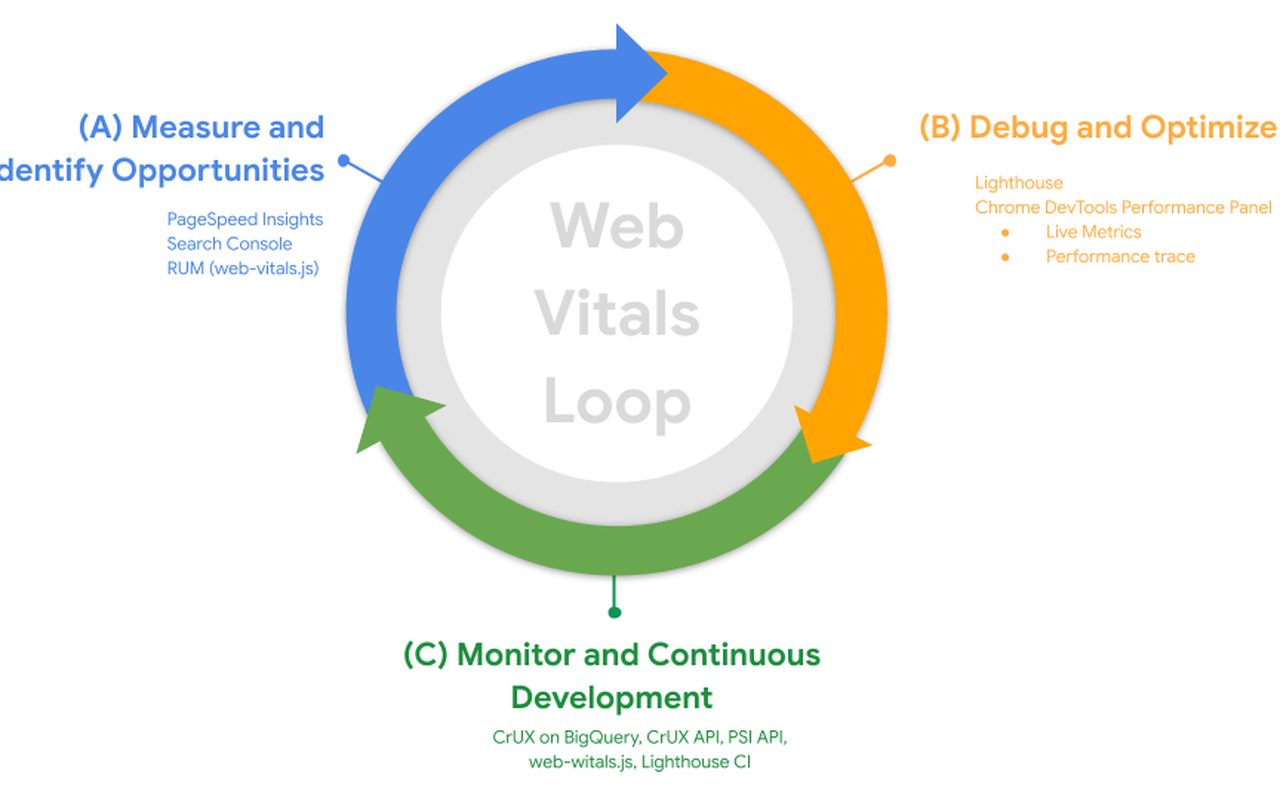
Core Web Vitals in 2026
What Google measures today, which numbers really affect rankings and how to improve them without rebuilding the whole site.
Performance -
09/07/2026 
A shop wired into the warehouse
Integrating WooCommerce with a warehouse system: stock, prices and orders with no manual re-typing and no mistakes.
E-commerce


Technology
What we work with
The systems we build and maintain client projects in — from shops and websites to databases and ad accounts.
Frequently asked questions
Before you ask
The eight things clients ask us most often in the first conversation. Hover over a question to see the answer.
We prepare every quote individually after a short conversation about your needs. The price depends on the scope — the number of pages, integrations and language versions — how bespoke the design is, and how much content needs writing. The first consultation is free and commits you to nothing.
A simple one-page site: 1–2 weeks. A standard company website with an editing panel: 3–6 weeks. An online shop on WooCommerce or Shoper: 4–8 weeks. Deadlines go into the contract and we keep to them — and if something has to move, you hear about it in advance, not on handover day.
Yes, SEO is one of our core services. We start with an audit, then optimise content around what customers actually search for, fix the technical side of the site and build links. We report rankings, traffic and the number of enquiries. We work with companies in Lublin and across Poland.
Yes. We connect WooCommerce, Shoper and PrestaShop stores with warehouse systems (InsERT, WAPRO, Insoft) and marketplaces. We synchronise stock, prices and orders so that nobody re-types the same data twice.
It is an interactive 360° panorama of your interiors that can be viewed on your website and published on your Google Business Profile. It works well for hotels, restaurants, wedding venues and showrooms. Customers see the place before they visit, and a profile with an active tour shows up in maps more often.
We stay. We offer ongoing care: updates, backups, uptime monitoring and response to critical failures at any hour. Scope and price are agreed individually — from a basic maintenance package to full IT outsourcing.
Yes, and we do it with no downtime. First we bring up a copy on the new server and test it, and only then do we switch the domain. Email moves across together with the message archive, so nothing is lost.
No. Lublin is our base and we serve clients there in person as well, but we run projects for companies across Poland. The whole engagement — from brief to handover — can be done remotely.